What is a bare metal server used for?: Practical Guide
Learn what bare metal servers are, how they work, and practical use cases. Step-by-step guide for deploying single-tenant infrastructure.
On this page
TL;DR — Key takeaways
- Bare metal servers are physical machines dedicated to a single tenant, providing direct hardware access without virtualization overhead for maximum performance and control.
- Primary use cases include high-performance databases, resource-intensive applications, regulatory compliance workloads, and scenarios requiring predictable low-latency performance.
- Deploying bare metal requires choosing appropriate hardware specifications, configuring RAID for data protection, hardening the OS, and implementing monitoring before production use.
Bare metal servers are physical machines that run a single operating system with direct access to hardware resources. Unlike virtual private servers that share physical hardware through hypervisors, bare metal hosting provides dedicated CPU, RAM, storage, and network interfaces to one tenant.
This guide explains what bare metal servers are, how they differ from virtualized environments, and walks through practical implementation steps for common use cases. You'll learn when bare metal makes sense for your workload and how to deploy it safely.
What is a Bare Metal Server?
A bare metal server is a physical computer dedicated entirely to one customer or workload. The term 'bare metal' refers to running an operating system directly on hardware without an intermediary virtualization layer.
In virtualized environments, a hypervisor divides physical resources among multiple virtual machines. With bare metal, your application has exclusive access to all CPU cores, memory, storage controllers, and network interfaces. This eliminates the 'noisy neighbor' problem where other tenants impact your performance.
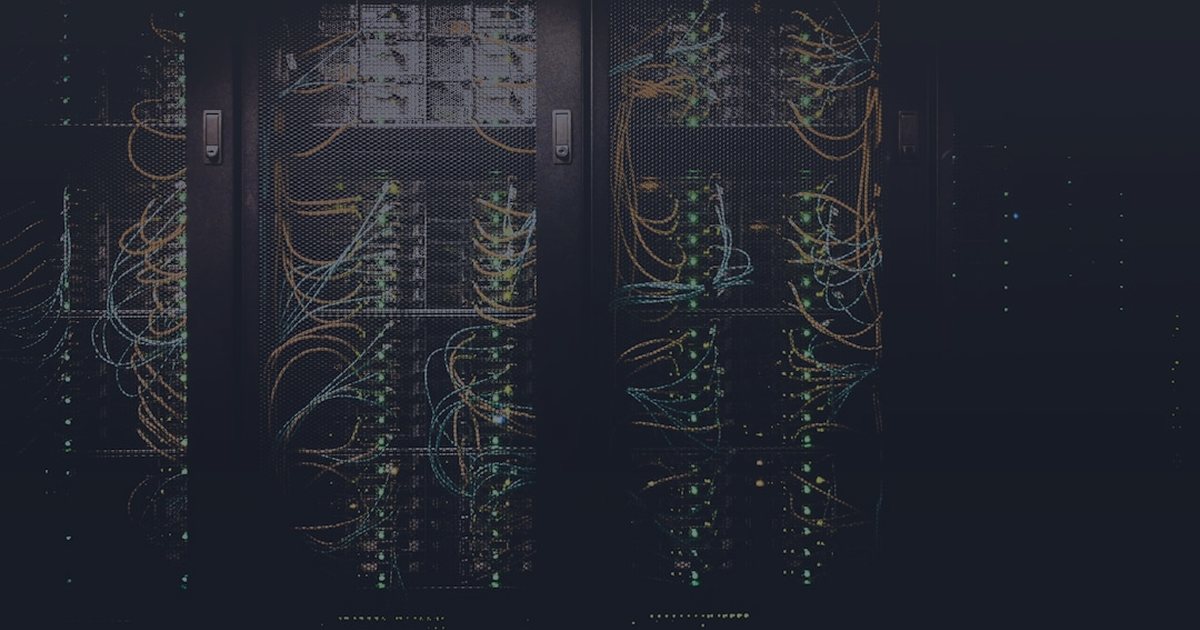
Bare metal servers typically sit in data centers, managed either by hosting providers or in-house infrastructure teams. They range from single-socket systems with moderate specifications to multi-socket machines with hundreds of cores and terabytes of RAM.
How Bare Metal Differs from Virtual Servers
The key distinction is resource isolation and access. Virtual servers share physical hardware through abstraction layers. Bare metal eliminates that abstraction, providing direct hardware control.
Performance differences appear in CPU-intensive workloads, disk I/O operations, and network throughput. Virtualization adds overhead—typically 5-15% depending on the workload type. Bare metal removes this tax entirely.
Management differs significantly. Virtual servers can be provisioned in minutes through control panels. Bare metal deployment takes longer due to physical hardware allocation, operating system installation, and network configuration. Scaling requires procuring additional physical machines rather than adjusting virtual resource sliders.
- Bare metal: Direct hardware access, zero virtualization overhead, full kernel control
- Virtual servers: Shared resources, hypervisor overhead, faster provisioning
- Cloud instances: Elastic scaling, pay-per-use billing, limited hardware visibility
- Containers: Application-level isolation, shared kernel, lightweight overhead
Primary Use Cases for Bare Metal Servers
Bare metal servers excel in scenarios requiring predictable performance, regulatory compliance, or maximum resource utilization. Understanding when to choose bare metal over virtualized alternatives prevents both over-provisioning and performance bottlenecks.
- High-performance databases: PostgreSQL, MySQL, MongoDB deployments handling millions of transactions require consistent disk I/O and memory bandwidth without virtualization jitter
- Big data processing: Apache Hadoop, Spark, and Elasticsearch clusters benefit from direct storage controller access and maximum network throughput
- Gaming servers: Multiplayer game hosting demands low-latency networking and predictable CPU performance for real-time physics and state synchronization
- Rendering farms: Video encoding, 3D rendering, and machine learning training leverage full GPU pass-through and CPU instruction sets unavailable in virtualized environments
- Compliance workloads: Healthcare (HIPAA), finance (PCI DSS), and government sectors often require physical separation and hardware-level encryption
- Legacy applications: Software with hardware licensing tied to physical CPUs or network interfaces cannot run in virtualized environments
- Development of virtualization platforms: Building hypervisors, testing kernel modules, or developing storage systems requires bare metal access
Step-by-Step: Planning Your Bare Metal Deployment
Before provisioning hardware, map your workload requirements to server specifications. This prevents over-provisioning costs and under-provisioning performance issues.
Start by profiling your application in a test environment. Measure CPU utilization patterns, memory working set size, disk I/O patterns (random vs sequential), and network bandwidth requirements. Add 30-40% headroom for growth and peak load scenarios.
Choose RAID levels based on your availability requirements. RAID 1 provides mirroring for OS disks. RAID 10 balances performance and redundancy for databases. RAID 5/6 offers capacity efficiency for archival storage. Avoid RAID 5 for write-intensive workloads due to write penalty overhead.
Network configuration matters for production workloads. Request at least two network interfaces: one for public traffic and one for private backplane communication with databases or storage. Bond interfaces for redundancy where supported.
Plan your operating system choice before provisioning. Ubuntu Server and Rocky Linux are common for web workloads. Debian provides long-term stability. Windows Server is necessary for .NET Framework applications. Ensure your provider supports your required OS and version.
Provisioning and Initial Configuration
Most providers offer provisioning through web consoles or APIs. Select your hardware configuration, operating system, and network settings. Provisioning typically takes 2-6 hours depending on provider automation and hardware availability.
Once provisioned, access the server through the provided remote console or SSH for Linux systems. Immediately change default passwords and disable password authentication in favor of SSH keys.
Update the operating system before installing applications. For Debian-based systems, run 'apt update && apt upgrade'. For RHEL-based systems, use 'dnf update'. Reboot if kernel updates were applied.
Configure the firewall to allow only required ports. For web servers, open ports 80 and 443. For SSH, either restrict access to known IP ranges or move SSH to a non-standard port as an additional layer of obscurity. Default deny all other inbound traffic.
Set up automated backups immediately. Even with RAID protection, backups guard against corruption, human error, and catastrophic failures. Schedule nightly backups to external storage or object storage services. Test restoration procedures within the first week.
- Generate SSH key pair locally: ssh-keygen -t ed25519 -C 'server-access'
- Copy public key to server: ssh-copy-id -i ~/.ssh/id_ed25519.pub user@server-ip
- Disable password auth: Edit /etc/ssh/sshd_config, set PasswordAuthentication no
- Enable firewall: ufw enable (Ubuntu) or firewall-cmd --permanent --add-service=ssh (Rocky)
- Configure time sync: systemctl enable --now systemd-timesyncd (or chrony for high-precision requirements)
Hardening and Production Readiness
Hardening reduces attack surface and ensures the server meets security baselines. Start with automatic security updates for critical patches. On Ubuntu, install unattended-upgrades. On Rocky Linux, configure dnf-automatic.
Install fail2ban or similar intrusion prevention. Configure it to ban IPs after repeated SSH failures. Whitelist your own management IPs to avoid lockouts during maintenance.
Enable audit logging to track system changes. On Linux, configure auditd to monitor file integrity, privileged command execution, and user actions. Retain logs for at least 90 days for security investigations.
Set up monitoring before deploying applications. Install node exporters for Prometheus, or agents for your monitoring platform of choice. Track CPU, memory, disk usage, and network throughput. Configure alerts for thresholds like 80% disk usage or sustained high CPU.
Document the baseline configuration. Record RAID setup, network interface assignments, installed packages, firewall rules, and backup schedules. Store this documentation in version control or configuration management systems.
- Security updates: apt install unattended-upgrades && dpkg-reconfigure -plow unattended-upgrades
- Intrusion prevention: apt install fail2ban, configure /etc/fail2ban/jail.local with SSH jail enabled
- File integrity: apt install aide, run 'aideinit' to create baseline, schedule daily checks
- Monitoring: Install node_exporter, expose on localhost only, configure reverse proxy for authenticated access
Application Deployment and Testing
Deploy applications incrementally. Start with dependencies, then middleware, finally the application itself. Test each layer before proceeding to catch configuration issues early.
For web applications, install the web server (nginx or Apache), application runtime (Node.js, Python, PHP), and database server. Configure the web server to proxy requests to your application. Use Unix sockets instead of TCP ports for inter-process communication to reduce latency and improve security.
Load test the application before directing production traffic. Use tools like Apache Bench, wrk, or Locust to simulate realistic traffic patterns. Identify bottlenecks in CPU, memory, or disk I/O. Tune application and system parameters based on results.
Configure health checks and graceful degradation. Set up load balancer health endpoints that verify database connectivity and critical service availability. Implement circuit breakers for external dependencies to prevent cascading failures.
Create a rollback plan. Document the steps to revert to the previous application version and restore database backups. Test the rollback procedure in a staging environment before any major production deployment.
Ongoing Maintenance and Scaling
Schedule regular maintenance windows for kernel updates, security patches, and hardware firmware updates. Notify users in advance and plan updates during low-traffic periods.
Monitor resource trends weekly. Track growth in CPU utilization, memory consumption, disk usage, and network bandwidth. Forecast when current capacity will be exhausted based on growth rates.
When scaling becomes necessary, bare metal offers two paths: vertical scaling (upgrading existing hardware) or horizontal scaling (adding more servers). Vertical scaling requires downtime and hardware replacement. Horizontal scaling provides better availability but adds complexity in load balancing and data synchronization.
For horizontal scaling, implement load balancing across multiple bare metal servers. Use DNS round-robin for simple setups or dedicated load balancers for advanced traffic management. Ensure session state is stored in shared systems like Redis or database clusters.
Review and update documentation quarterly. Capture configuration changes, new security measures, performance tuning adjustments, and lessons learned from incidents. This documentation becomes critical during staff transitions or emergency troubleshooting.
- Patch management: Schedule monthly maintenance windows, test updates in staging first
- Capacity planning: Set alerts at 70% utilization to allow time for procurement and provisioning
- Database scaling: Implement read replicas before vertical scaling, consider sharding for horizontal growth
- Backup validation: Restore test backups quarterly to verify integrity and recovery procedures
Quick troubleshooting checklist
- Profile application requirements: CPU cores, RAM, disk I/O patterns, network bandwidth
- Select hardware configuration with 30-40% headroom for growth
- Choose appropriate RAID level: RAID 1 for OS, RAID 10 for databases
- Generate SSH keys and disable password authentication
- Update operating system packages and reboot if kernel was updated
- Configure firewall to allow only required ports (SSH, HTTP, HTTPS)
- Set up automated nightly backups to external storage
- Install and configure fail2ban for intrusion prevention
- Enable automatic security updates (unattended-upgrades or dnf-automatic)
- Install monitoring agent and configure alerts for resource thresholds
- Deploy application incrementally: dependencies, middleware, application
- Load test before production traffic to identify bottlenecks
- Document configuration, firewall rules, and backup procedures
- Test backup restoration within first week of deployment
- Schedule regular maintenance windows for security patches
FAQ
What is the main difference between bare metal and cloud servers?
Bare metal servers are dedicated physical machines with direct hardware access, providing maximum performance and zero virtualization overhead. Cloud servers are virtual instances running on shared physical hardware through hypervisors, offering faster provisioning and elastic scaling but with 5-15% performance overhead. Bare metal suits workloads requiring predictable performance and hardware-level control, while cloud servers fit dynamic workloads with variable resource needs.
How long does it take to provision a bare metal server?
Bare metal server provisioning typically takes 2-6 hours, depending on provider automation and hardware availability. This includes physical hardware allocation, operating system installation, RAID configuration, and network setup. Virtual servers provision in minutes because they use pre-allocated physical resources. Plan for longer lead times when ordering bare metal, especially for custom hardware configurations.
Can I upgrade bare metal server hardware without downtime?
Most bare metal hardware upgrades require downtime because they involve physical component replacement. RAM, storage drives, and network cards can sometimes be hot-swapped on enterprise hardware, but CPU and motherboard upgrades always require shutdown. To minimize downtime, deploy applications across multiple bare metal servers with load balancing, allowing you to upgrade machines individually while others handle traffic.
Is bare metal hosting more expensive than virtual servers?
Bare metal hosting costs more per server because you pay for dedicated physical hardware rather than shared resources. However, for high-utilization workloads, bare metal can be more cost-effective because you get full hardware capacity without virtualization overhead. Calculate total cost by dividing monthly server cost by your actual resource utilization. Bare metal becomes economical when sustained utilization exceeds 60-70% of capacity.
What backup strategy should I use for bare metal servers?
Implement a 3-2-1 backup strategy: three copies of data, on two different media types, with one copy off-site. Schedule nightly automated backups to external storage or object storage services. Use incremental backups to reduce storage costs and backup windows. Test restoration quarterly to verify backup integrity. For critical systems, combine daily backups with continuous replication to a secondary bare metal server for faster recovery times.
Related articles
- Hosting OperationsSelf-Hosted App Deployment Fails? Check DNS, SSL, Reverse Proxy, and Logs FirstTroubleshoot failed self-hosted app deployments by checking DNS, SSL, reverse proxy routing, container status, logs, and ports.
- Hosting OperationsSelf-Hosted PaaS on a VPS: What to Check Before Installing Coolify, Dokploy, or CapRoverA hosting support checklist for preparing a VPS before installing self-hosted PaaS tools like Coolify, Dokploy, or CapRover.
- Hosting OperationsLinux Server Security Lessons from the Arch Linux Malware Package IncidentPractical Linux server security checklist for VPS admins after package malware concerns, with safe checks, rollback steps, and support guidance.
- Hosting OperationsAWS Lightsail Hong Kong VPS Latency: Practical Hosting Guide for IndonesiaLearn how to test AWS Lightsail Hong Kong VPS latency, compare regions, migrate safely, and troubleshoot hosting performance.
- Hosting OperationsCloudflare Tomorrow Watchlist: A Practical Hosting Operations GuidePractical Cloudflare troubleshooting checklist for DNS, SSL, caching, WAF, origin health, safe testing, and rollback planning.
- Hosting OperationsNetwork Safety Checklist for AI Agent Skills in Hosting OperationsAudit AI agent skills safely with network checks, secret protection, sandbox testing, rollback steps, and hosting support troubleshooting guidance.